ดูโปรไฟล์และแก้ไข
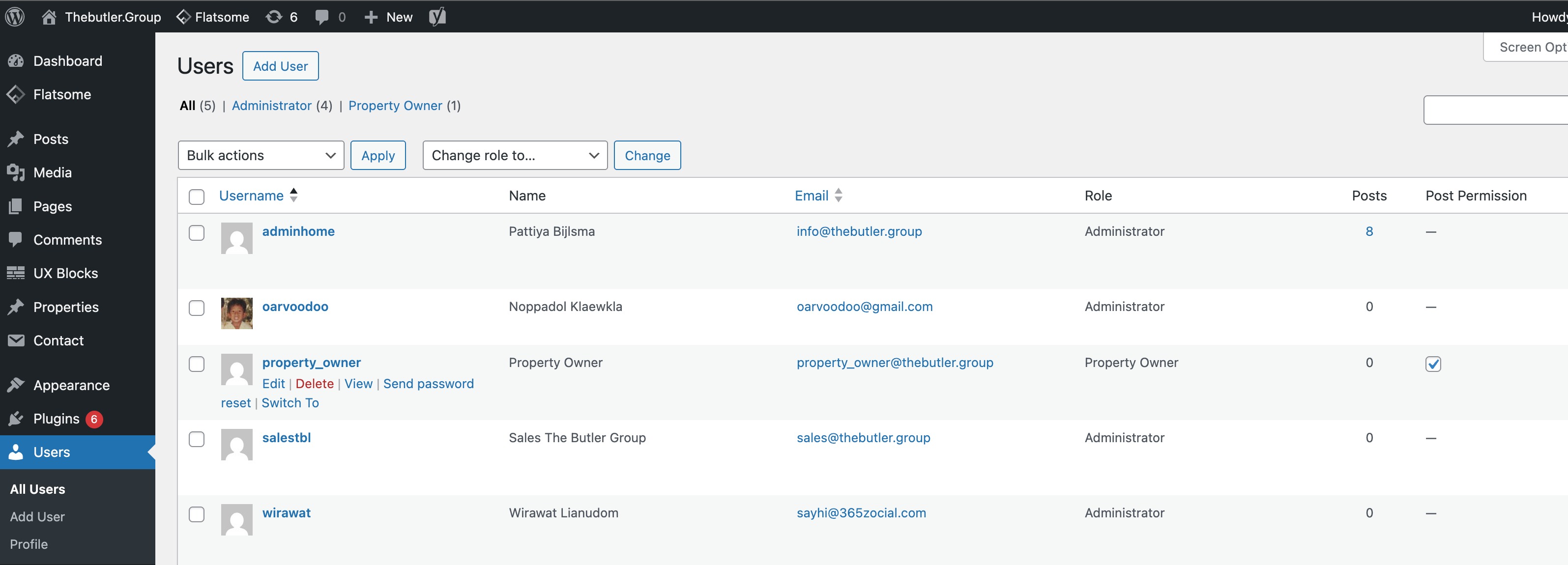
- ไปที่เมนู Users > All Users
- Rollover user ที่ต้องการดูหรือแก้ไข
- กดลิงค์ Edit
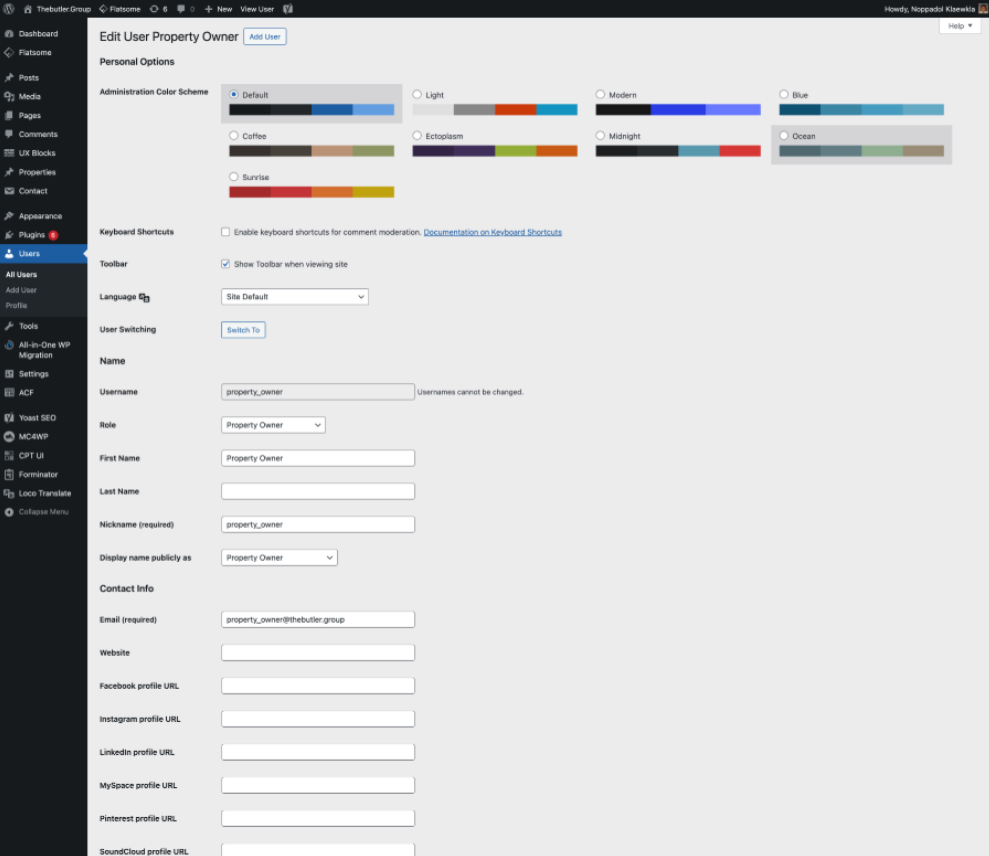
ดูรายละเอียดของ User หากต้องการแก้ไขสามารถแก้ไขได้และกด Update User
เปลี่ยนรหัสผ่าน
- ไปที่เมนู Users > All Users
- Rollover user ที่ต้องการดูหรือแก้ไข
- กดลิงค์ Edit
- กด Sat New Password
- กรอก password ใหม่
- กดปุ่ม Update User
อนุญาติให้ Property Owner สามารถใช้งานระบบ
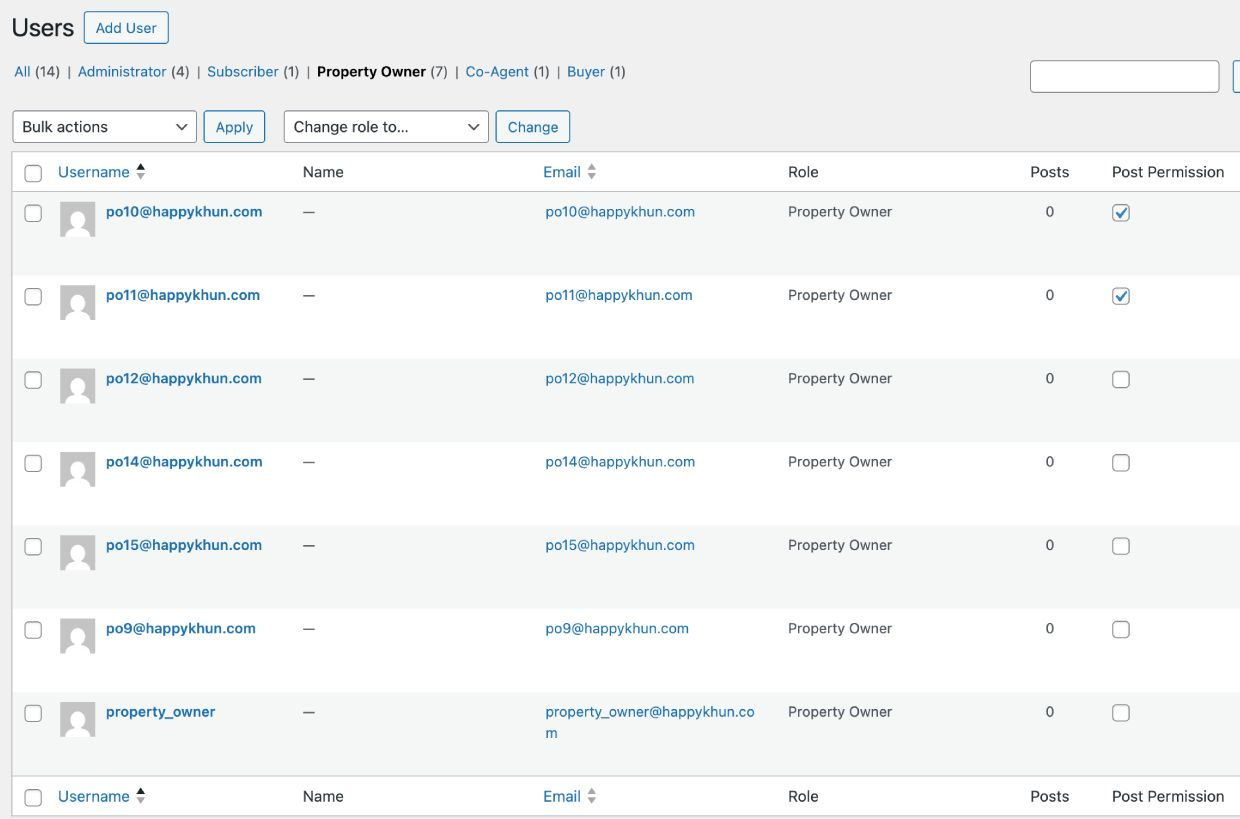
- ไปที่เมนู Users > All Users
- เมนูด้านบนเลือก Property Owner
- กดเครื่องหมายถูกในช่อง Post Permission เพื่ออนุญาติให้ User นั้น สามารถจัดการ Property ของตนเองได้
Was this article helpful?
That’s Great!
Thank you for your feedback
Sorry! We couldn't be helpful
Thank you for your feedback
Feedback sent
We appreciate your effort and will try to fix the article