เพิ่มอสังหาริมทรัพย์ (Add Property)
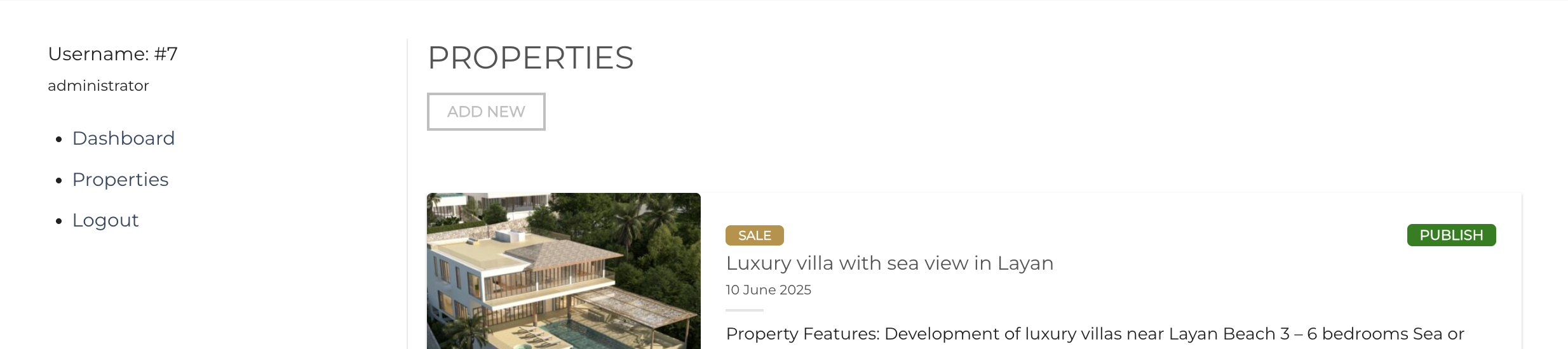
- หลังจาก Login จะอยู่ในหน้า My Account ให้กดไปที่เมนู Properties ซ้ายมือ
- กดปุ่ม Add new ด้านบน
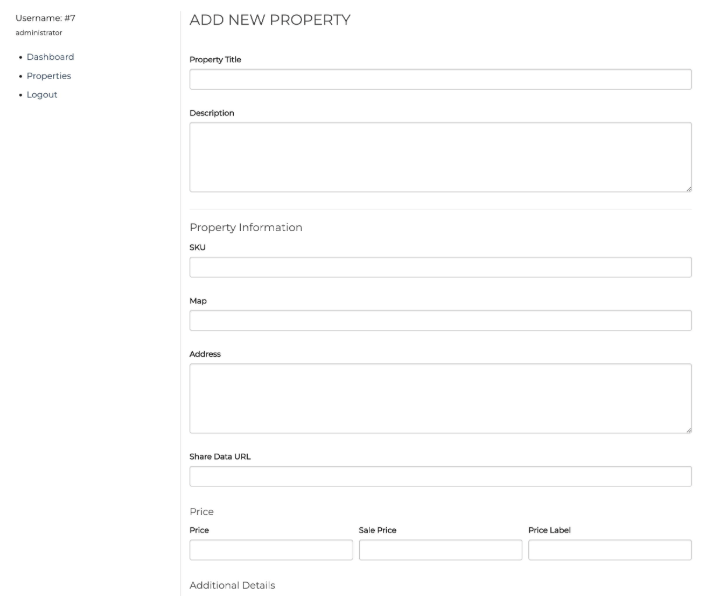
- ทำการกรอกข้อมูลทั้งหมด
- กดปุ่ม Save Property
แก้ไขอสังหาริมทรัพย์ (Edit Property)
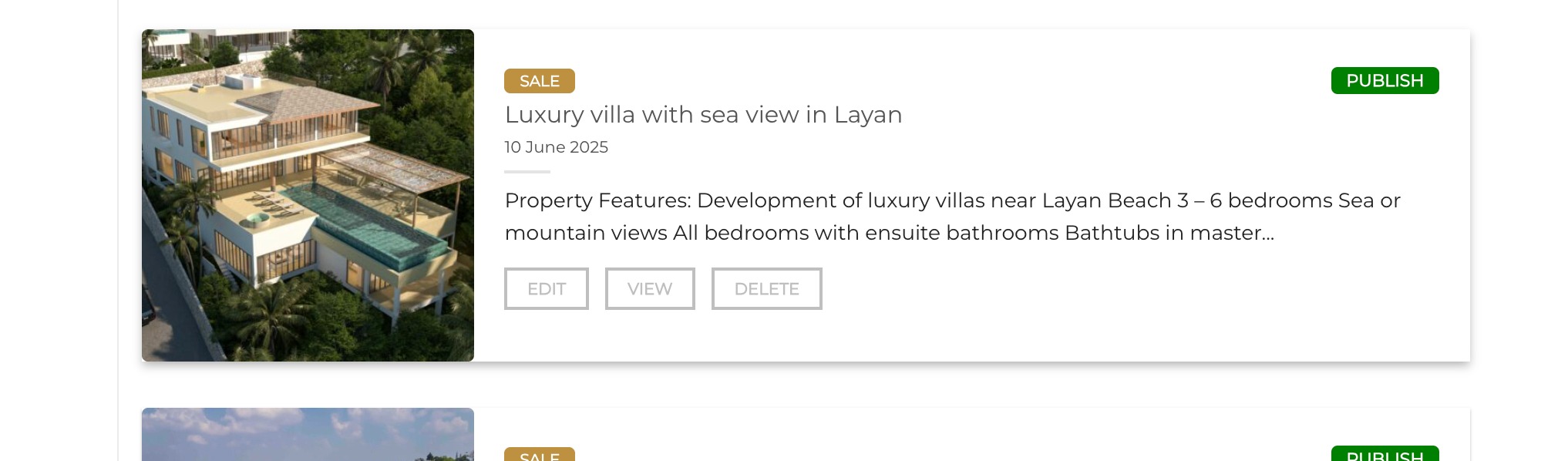
- หลังจาก Login จะอยู่ในหน้า My Account ให้กดไปที่เมนู Properties ซ้ายมือ
- เลือก Property ที่ต้องการแก้ไข แล้วกดปุ่ม Edit
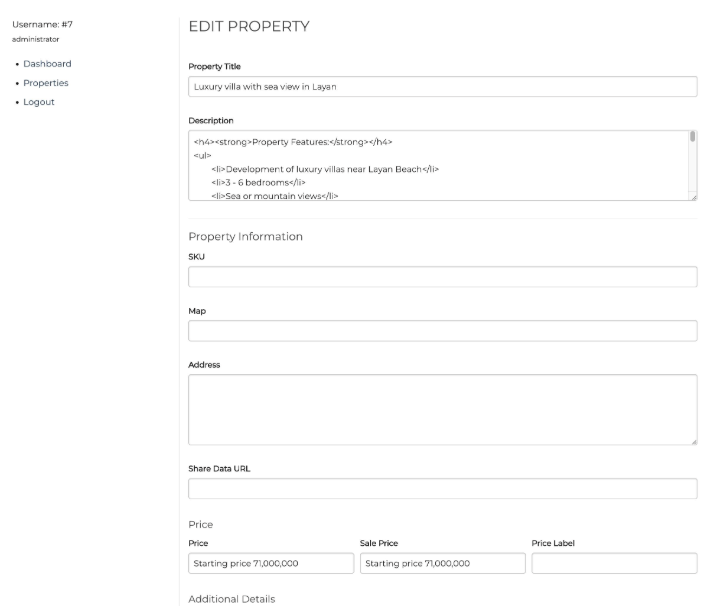
- ทำการแก้ไขข้อมูล
- กดปุ่ม Save Property
ลบอสังหาริมทรัพย์ (Delete Property)
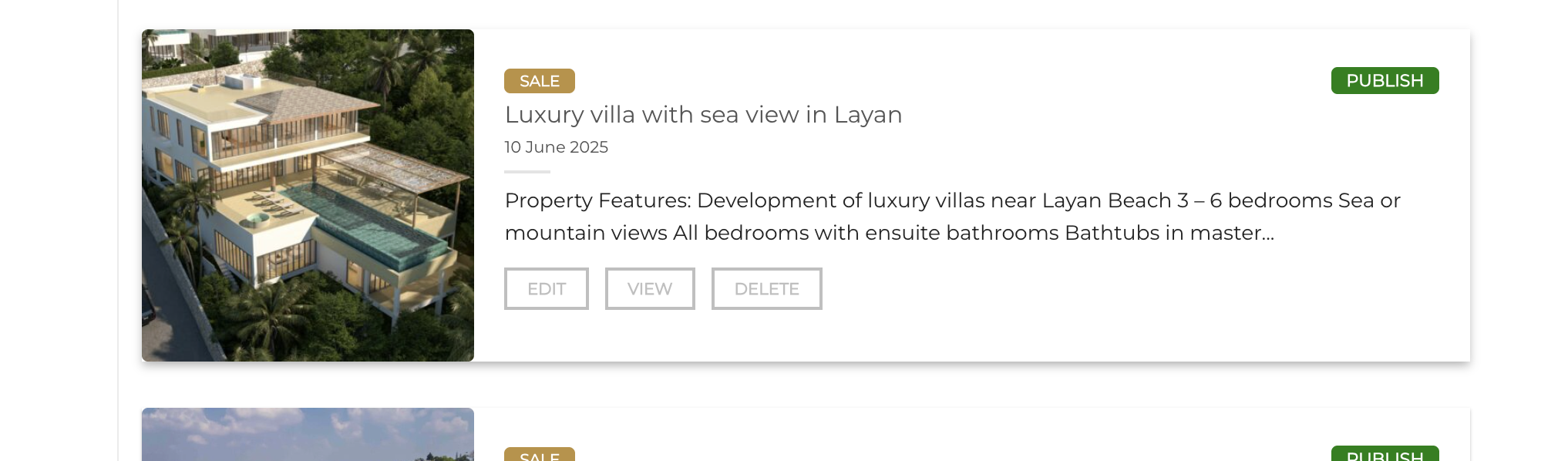
- หลังจาก Login จะอยู่ในหน้า My Account ให้กดไปที่เมนู Properties ซ้ายมือ
- เลือก Property ที่ต้องการแก้ไข แล้วกดปุ่ม Delete
* การ Delete จะเป็นการเปลี่ยนสถานะ จาก Publish เป็น Draft ซึ่งข้อมูลจะมีอยู่ในระบบหลังบ้าน
Was this article helpful?
That’s Great!
Thank you for your feedback
Sorry! We couldn't be helpful
Thank you for your feedback
Feedback sent
We appreciate your effort and will try to fix the article