สถานะ Property
- Draft
- Pending
- Publish
ขั้นตอนการอนุมัติโดย Admin
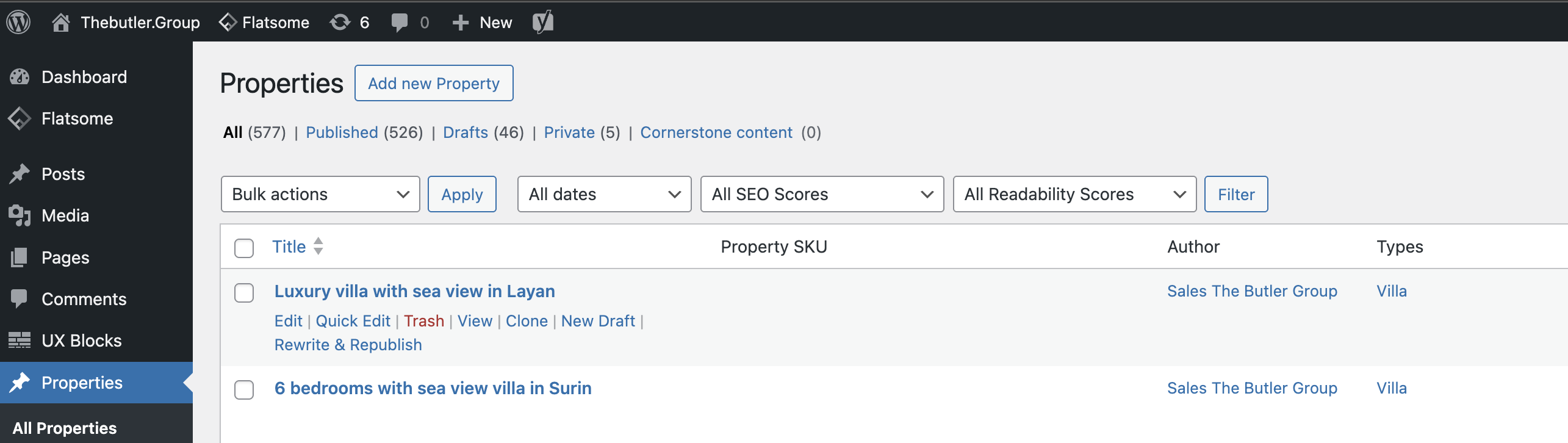
- Login เข้าระบบ Admin หลังบ้าน
- ไปที่เมนู Properties
- Rollover ที่ Property ที่ต้องการแก้ไข
- กด Edit
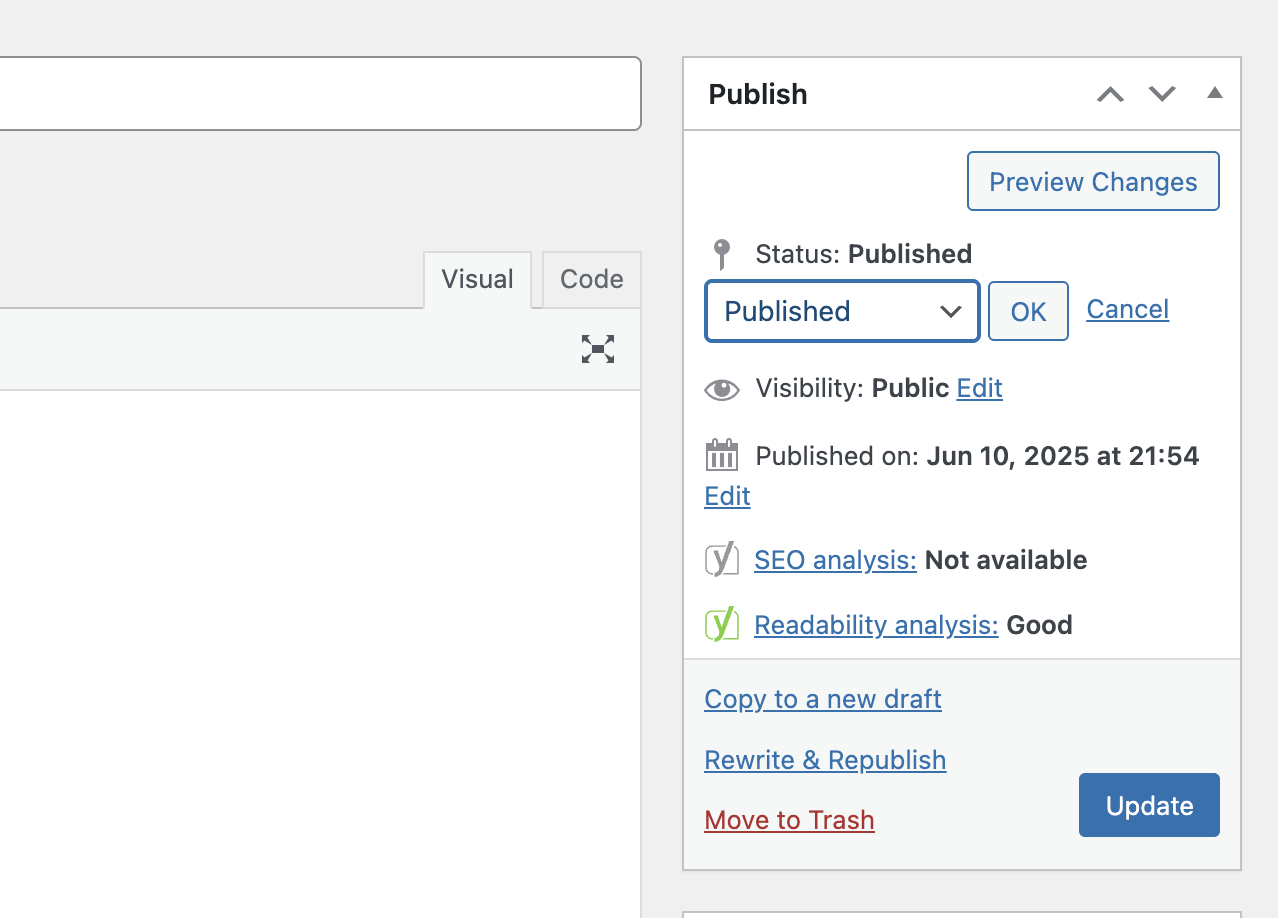
- มองหา Status แล้วกด Edit จะปรากฏ Dropdown ให้เลือก
- หลังจากเลือกสถานะแล้ว ให้กด Update
Was this article helpful?
That’s Great!
Thank you for your feedback
Sorry! We couldn't be helpful
Thank you for your feedback
Feedback sent
We appreciate your effort and will try to fix the article